ChatGPT / OpenAI Basics Tutorial for Developers
This ChatGPT / OpenAI basics tutorial shows how to go from “I know what ChatGPT is” to “I can wire OpenAI models into real applications.” We will stay hands-on with concrete examples in JavaScript and Python, focusing on prompt design, safe usage and simple integration patterns that match a modern data stack.
In this ChatGPT / OpenAI tutorial you will:
- Understand the core ideas behind large language models (LLMs)
- Call OpenAI’s chat completion API from Node.js and Python
- Design prompts that are predictable and easy to maintain
- Use system / user / assistant messages effectively
- Handle costs, rate limits and basic safety controls
To see how this ties into the rest of your stack, combine this guide with:
Node.js backend basics tutorial,
Python data engineering tutorial,
MongoDB basics tutorial,
SQL basics tutorial,
CI/CD pipeline tutorial,
and the
Git version control tutorial.
For the latest API details, always check the
official OpenAI API documentation.
1. ChatGPT / OpenAI basics tutorial: what’s going on under the hood?
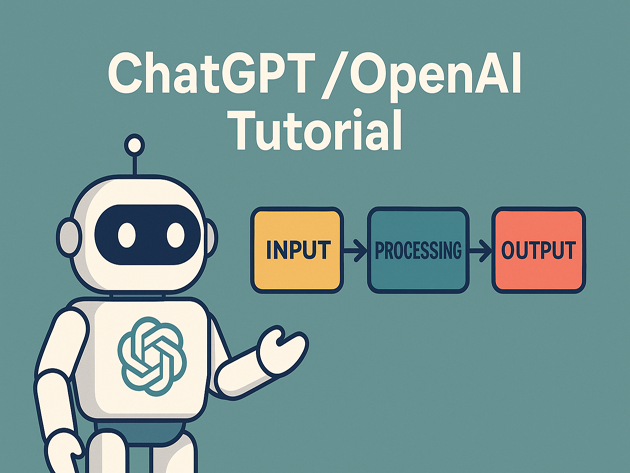
At a high level, a ChatGPT-style model is a large neural network trained to predict the next token of text. During training it sees billions of examples of text and learns statistical patterns. At inference time it:
- Takes in your messages (system, user, assistant) as input tokens
- Computes probabilities for the next token
- Samples a next token, appends it to the context, and repeats
The model does not “understand” content in the human sense, but it is very good at continuing patterns, summarizing, translating, and following structured instructions when prompts are well designed.
2. Account, API key and safety basics
Before you can follow this ChatGPT / OpenAI basics tutorial in your own code, you need:
- An OpenAI account with API access
- An API key created in the OpenAI dashboard
- Per-project environment variables to keep keys out of source control
Create an environment variable OPENAI_API_KEY on your machine or deployment target. Never hard-code your key in client-side JavaScript or public repos.
3. Call ChatGPT / OpenAI from Node.js
This section of the ChatGPT / OpenAI basics tutorial uses a minimal Node.js example to send a prompt and read the response.
3.1 Project setup
mkdir openai-node-demo
cd openai-node-demo

npm init -y
npm install openai dotenv
Create a .env file:
OPENAI_API_KEY=sk-your-key-here3.2 Simple chat completion script
Create chat-demo.mjs:
import "dotenv/config";
import OpenAI from "openai";

const client = new OpenAI({
  apiKey: process.env.OPENAI_API_KEY,
});

async function main() {
  const response = await client.chat.completions.create({
    model: "gpt-4.1-mini",
    messages: [
      {
        role: "system",
        content:
          "You are a concise assistant helping a developer learn ChatGPT / OpenAI basics.",
      },
      {
        role: "user",
        content: "Explain temperature and max tokens in one short paragraph.",
      },
    ],
    temperature: 0.4,
    max_tokens: 150,
  });

  const message = response.choices[0].message.content;
  console.log(message);
}

main().catch(console.error);
This Node.js example highlights several recurring ideas in ChatGPT / OpenAI usage:
- model – which model to call (e.g. gpt-4.1, gpt-4.1-mini)
- messages – a list of system/user/assistant messages forming the conversation
- temperature – higher values mean more randomness
- max_tokens – upper bound on how long the response can be
4. Call ChatGPT / OpenAI from Python
Now this ChatGPT / OpenAI basics tutorial mirrors the example using Python, which is common for data engineering and analytics stacks.
4.1 Install the SDK
pip install openai python-dotenv4.2 Simple Python script
Create chat_demo.py:
import os
from dotenv import load_dotenv
from openai import OpenAI

load_dotenv()
client = OpenAI(api_key=os.environ["OPENAI_API_KEY"])

def main() -> None:
    response = client.chat.completions.create(
        model="gpt-4.1-mini",
        messages=[
            {
                "role": "system",
                "content": "You tutor developers on ChatGPT / OpenAI basics in clear language.",
            },
            {
                "role": "user",
                "content": "Give me three bullet-point tips for writing better prompts.",
            },
        ],
        temperature=0.5,
        max_tokens=200,
    )

    message = response.choices[0].message.content
    print(message)

if __name__ == "__main__":
    main()
The structure is almost identical to the Node.js example, which makes it easy to share prompt and model choices across languages.
5. Practical prompt design patterns
A huge part of this ChatGPT / OpenAI basics tutorial is about prompts. Good prompts are:
- Structured and explicit (“You are a code reviewer…”) rather than vague
- Grounded with examples when you need a specific style or format
- Short enough to be readable and maintainable in source control
5.1 System + user message pattern
Use the system message to set overarching behavior, then use user messages for concrete tasks.
const messages = [
  {
    role: "system",
    content:
      "You are a senior full-stack engineer. " +
      "Explain concepts using short paragraphs and runnable code snippets.",
  },
  {
    role: "user",
    content:
      "Explain what a REST API is to a junior developer and give a tiny Node.js example.",
  },
];
5.2 Few-shot examples
For formatting-heavy tasks, this ChatGPT / OpenAI basics tutorial recommends adding one or two examples (“few-shot prompting”) so the model can infer the pattern.
const messages = [
  {
    role: "system",
    content:
      "You convert requirements into Git commit messages. Use present tense and 1–2 short lines.",
  },
  {
    role: "user",
    content: "Add a /health endpoint to the Node.js API.",
  },
  {
    role: "assistant",
    content: "Add /health endpoint returning JSON status",
  },
  {
    role: "user",
    content: "Wire CI to run npm test on every push.",
  },
];
The assistant message here acts as an example. When the model sees the second user message, it tends to follow the same style.
6. Handling costs, rate limits and safety
In a real application, a ChatGPT / OpenAI basics tutorial must address production concerns:
- Cost – track tokens per request and use smaller models where possible
- Rate limits – respect per-minute and per-day quotas; implement retries with backoff
- Safety – filter or restrict inputs and outputs depending on your domain
6.1 Basic token budgeting
Before sending very long prompts, consider truncating logs or context windows and favor concise instructions. For example, in Node.js:
const MAX_HISTORY = 5;

const history = getRecentMessagesFromDb(userId).slice(-MAX_HISTORY);

const response = await client.chat.completions.create({
  model: "gpt-4.1-mini",
  messages: [
    { role: "system", content: "You are a helpful coding assistant." },
    ...history,
    { role: "user", content: currentQuestion },
  ],
  max_tokens: 400,
});
6.2 Retry on rate limit
Most SDKs expose error types you can use to implement exponential backoff. Pseudocode:
for (let attempt = 1; attempt <= 3; attempt++) {
  try {
    return await client.chat.completions.create({ /* ... */ });
  } catch (err) {
    if (err.status === 429 && attempt < 3) {
      const delayMs = 500 * attempt * attempt;
      await new Promise((r) => setTimeout(r, delayMs));
      continue;
    }
    throw err;
  }
}
Even simple retry logic like this can dramatically reduce user-facing errors when the API is briefly rate limited.
7. Compact ChatGPT / OpenAI basics cheat sheet
To wrap up this ChatGPT / OpenAI basics tutorial, here is a small cheat sheet summarizing the most important levers you will use day-to-day.
| Lever | Example | Purpose | Relative Impact |
|---|---|---|---|
| Model choice | gpt-4.1 vs gpt-4.1-mini |
Balance quality vs cost/latency | |
| System prompt | “You are a senior engineer…” | Set overall behavior and tone | |
| Temperature | 0.2 vs 0.8 |
Control randomness/creativity | |
| Max tokens | max_tokens: 200 |
Limit response length and cost | |
| Few-shot examples | Include 1–2 Q/A pairs | Steer format and style |
With these ChatGPT / OpenAI basics in place, you can start building assistants into dashboards, CLI tools, IDE helpers, or back-office workflows, all wired cleanly into the rest of your stack.