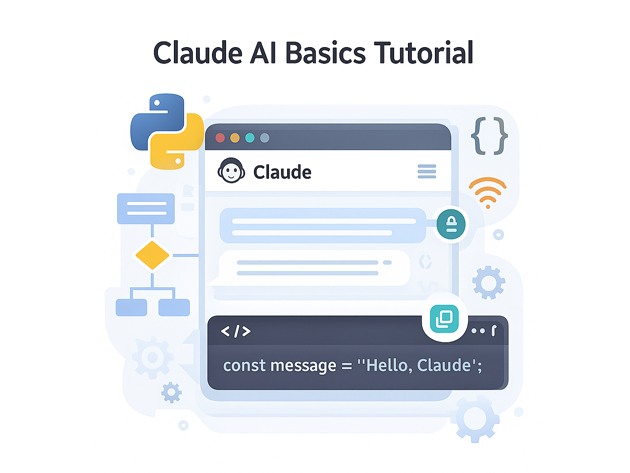
Claude AI Basics Tutorial for Developers
This Claude AI basics tutorial is aimed at developers who want to integrate Claude into real applications instead of just using the web UI. We will focus on practical API calls from Node.js and Python, simple prompt patterns and safety-conscious usage that fits into a modern stack with Git, CI/CD and existing backends.
In this Claude AI tutorial you will:
- Understand where Claude fits in a typical architecture
- Call the Claude API from Node.js and Python with minimal code
- Structure prompts using roles, instructions and examples
- Stream responses for chat-style UIs
- Handle errors, rate limits and basic safety constraints
To see Claude in context, pair this guide with the
ChatGPT / OpenAI basics tutorial,
Node.js backend basics tutorial,
Python data engineering tutorial,
Git version control tutorial,
and the
CI/CD pipeline tutorial.
For full reference, keep the
official Claude API documentation
open in another tab while you work through this Claude AI basics tutorial.
1. Claude AI basics tutorial: where Claude fits in your stack
Claude is a family of large language models (LLMs) built by Anthropic, designed to be helpful, honest and harmless. In a typical architecture:
- Your frontend (React, Vue, etc.) sends user input to a backend.
- The backend calls the Claude API with structured messages and parameters.
- Claude returns model-generated text or tool calls.
- Your backend post-processes results, logs them and returns a polished response to the client.
This Claude AI basics tutorial focuses on that middle part: getting clean, predictable responses from the model in a way that is easy to monitor, test and deploy.
2. Setup: API key and environment
Before writing code for Claude AI, you need:
- An Anthropic / Claude account with API access
- An API key generated in the dashboard
- Environment variables so the key never lives in your repo
Set an environment variable on your dev machine or server:
export ANTHROPIC_API_KEY=your_key_hereWe’ll reference this in both the Node.js and Python sections below.
3. Calling Claude AI from Node.js
First, this Claude AI basics tutorial covers Node.js, which is ideal for web backends and chat UIs.
3.1 Project setup
mkdir claude-node-demo
cd claude-node-demo

npm init -y
npm install axios dotenv
Create a .env file:
ANTHROPIC_API_KEY=your_key_here3.2 Minimal Claude AI call in Node.js
Create claude-chat.mjs:
import "dotenv/config";
import axios from "axios";

const apiKey = process.env.ANTHROPIC_API_KEY;

async function main() {
  const payload = {
    model: "claude-3-haiku-20240307",
    max_tokens: 200,
    temperature: 0.4,
    messages: [
      {
        role: "user",
        content: "Give me three tips for writing better prompts for Claude AI.",
      },
    ],
  };

  const response = await axios.post(
    "https://api.anthropic.com/v1/messages",
    payload,
    {
      headers: {
        "x-api-key": apiKey,
        "anthropic-version": "2023-06-01",
        "content-type": "application/json",
      },
    }
  );

  const content = response.data.content?.[0]?.text;
  console.log(content);
}

main().catch(console.error);
This is the smallest useful snippet in a Claude AI basics tutorial: it sends user content and prints the model’s answer, using a fast, cost-effective model version.
4. Calling Claude AI from Python
Next, this Claude AI basics tutorial mirrors the request from Python, which is common for data pipelines and analytics scripts.
4.1 Install dependencies
pip install requests python-dotenv4.2 Minimal Claude AI call in Python
Create claude_chat.py:
import os
import requests
from dotenv import load_dotenv

load_dotenv()
API_KEY = os.environ["ANTHROPIC_API_KEY"]

def main() -> None:
    url = "https://api.anthropic.com/v1/messages"
    payload = {
        "model": "claude-3-haiku-20240307",
        "max_tokens": 200,
        "temperature": 0.3,
        "messages": [
            {
                "role": "user",
                "content": "Explain Claude AI to a backend engineer in three short bullet points.",
            }
        ],
    }
    headers = {
        "x-api-key": API_KEY,
        "anthropic-version": "2023-06-01",
        "content-type": "application/json",
    }

    resp = requests.post(url, json=payload, headers=headers, timeout=30)
    resp.raise_for_status()
    data = resp.json()
    print(data["content"][0]["text"])

if __name__ == "__main__":
    main()
The Node.js and Python examples share the same key parameters: model name, max tokens, temperature and a messages array.
5. Prompt patterns for Claude AI
Now this Claude AI basics tutorial turns to prompts. Good prompts for Claude:
- Give a clear role and goal (“You are a senior engineer…”)
- Specify format requirements (headings, JSON, bullet lists)
- Include a small example if formatting is strict
5.1 Role-and-goal pattern
const messages = [
  {
    role: "user",
    content:
      "You are a senior data engineer. " +
      "Explain what a Kafka consumer group is to a junior developer " +
      "using short paragraphs and one simple ASCII diagram.",
  },
];
5.2 Example-driven formatting
For structured outputs, this Claude AI basics tutorial recommends including an example and then asking Claude to follow the same pattern:
const messages = [
  {
    role: "user",
    content: `
Return a JSON array of task objects.

Example:
[
  { "task": "Set up Node.js project", "estimate_hours": 1.5 }
]

Now generate 3 tasks for building a Claude AI proof-of-concept API.
`,
  },
];
The model tends to mimic the structure you show, which makes parsing in your backend much easier.
6. Streaming responses for a chat UI
Streaming is a common requirement in Claude AI integrations. It lets you show partial responses in real time instead of waiting for the whole answer.
In Node.js, a streaming call might look like this (simplified pseudo-code):
import fetch from "node-fetch";

async function streamClaude() {
  const response = await fetch("https://api.anthropic.com/v1/messages", {
    method: "POST",
    headers: {
      "x-api-key": process.env.ANTHROPIC_API_KEY,
      "anthropic-version": "2023-06-01",
      "content-type": "application/json",
      "accept": "text/event-stream",
    },
    body: JSON.stringify({
      model: "claude-3-haiku-20240307",
      max_tokens: 300,
      stream: true,
      messages: [{ role: "user", content: "Draft a short release note." }],
    }),
  });

  for await (const chunk of response.body) {
    const text = chunk.toString();
    // parse SSE events and push partial tokens to the client
    process.stdout.write(text);
  }
}
Wire this up to WebSockets or Server-Sent Events on your own backend to build a responsive chat UI around Claude AI.
7. Safety, limits and basic observability
Any practical Claude AI basics tutorial should mention guardrails. In production you should:
- Log prompts and responses (redacted as needed) for debugging
- Sanitize or validate user input before sending to Claude
- Apply output filters when rendering in HTML or markdown
- Track request volume, latency and error rates
7.1 Error handling pattern in Node.js
async function safeClaudeCall(payload) {
  try {
    const response = await axios.post(
      "https://api.anthropic.com/v1/messages",
      payload,
      {
        headers: {
          "x-api-key": process.env.ANTHROPIC_API_KEY,
          "anthropic-version": "2023-06-01",
          "content-type": "application/json",
        },
        timeout: 20000,
      }
    );

    return response.data;
  } catch (err) {
    console.error("Claude API error", {
      status: err.response?.status,
      data: err.response?.data,
    });
    throw new Error("Claude AI request failed");
  }
}
Wrap this in metrics (Prometheus, Grafana, etc.) as you would any other critical service dependency.
8. Compact Claude AI basics cheat sheet
To close this Claude AI basics tutorial, here is a small cheat sheet of the most important levers you will touch regularly.
| Lever | Example | Purpose | Relative Impact |
|---|---|---|---|
| Model choice | claude-3-haiku vs claude-3-opus |
Trade quality vs speed & cost | |
| Max tokens | max_tokens: 200 |
Control response length and spend | |
| Temperature | 0.2 (precise) vs 0.8 (creative) |
Adjust randomness | |
| Prompt structure | Role + goal + example | Make outputs more predictable | |
| Streaming | stream: true |
Improve UX in chat interfaces |
With these Claude AI basics in place, you can confidently add Claude-powered helpers to dashboards, internal tools, data workflows and customer-facing apps alongside the rest of your stack.