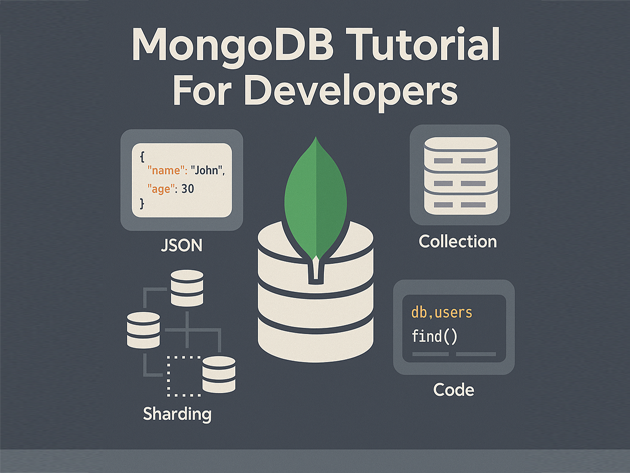
MongoDB Basics Tutorial for Developers
This MongoDB basics tutorial is aimed at developers who already work with SQL databases and want a practical, code-first introduction to MongoDB. Instead of covering every feature, it focuses on installing MongoDB, understanding documents and collections, running basic CRUD operations, adding indexes and connecting from Node.js and Python.
In this MongoDB tutorial you will:
- Understand how MongoDB fits into a modern data stack
- Insert and query JSON-like documents from the MongoDB shell
- Use basic filters, projections, sorting and aggregation
- Create indexes and inspect their impact on queries
- Connect to MongoDB from Node.js and Python with real code examples
For more context across your stack, pair this guide with the
SQL basics tutorial,
MariaDB tutorial for developers,
Node.js backend basics tutorial,
Python data engineering tutorial,
Linux basics for developers,
and the
Git version control tutorial.
1. MongoDB basics tutorial: documents, collections and databases
At the core of any MongoDB basics tutorial are three concepts:
- Document – a JSON-like object (stored as BSON) with key–value pairs.
- Collection – a group of documents, similar to a table in SQL.
- Database – a logical grouping of collections.
Where SQL stores rows in tables with fixed schemas, MongoDB stores flexible documents in collections. Fields can vary between documents, which is handy for rapidly evolving applications.
2. Install MongoDB and start the shell
This MongoDB basics tutorial assumes a local development instance. Exact installation steps vary by OS, but once installed, you generally have:
mongod– the MongoDB server daemonmongosh– the MongoDB shell (JavaScript/TypeScript REPL)
2.1 Start the server
# systemd-based Linux example
sudo systemctl start mongod
sudo systemctl status mongod
2.2 Connect with mongosh
mongosh "mongodb://localhost:27017"If the connection succeeds, you will see a prompt where you can type MongoDB commands.
3. Create a database and collection
Now this MongoDB basics tutorial will create a tiny demo database for an analytics-style “events” feed. This is a classic MongoDB use case where documents can carry slightly different fields per event type.
3.1 Switch database and insert documents
From mongosh:
use analytics_demo;

db.events.insertMany([
  {
    type: "page_view",
    userId: "u1",
    path: "/",
    ts: ISODate("2025-11-23T10:00:00Z")
  },
  {
    type: "page_view",
    userId: "u2",
    path: "/pricing",
    ts: ISODate("2025-11-23T10:01:00Z")
  },
  {
    type: "signup",
    userId: "u1",
    plan: "pro",
    ts: ISODate("2025-11-23T10:02:00Z")
  }
]);
Here you created (implicitly) a database analytics_demo and a collection events, then inserted three documents with slightly different fields.
3.2 Basic find query
db.events.find();MongoDB automatically adds an _id field to each document as a primary key.
4. Querying and filtering in MongoDB
Next, this MongoDB basics tutorial shows how to filter documents with query operators, control which fields come back and sort the results.
4.1 Filter by simple fields
// all page views
db.events.find({ type: "page_view" });

// events for a specific user
db.events.find({ userId: "u1" });
4.2 Projections and sorting
You can control which fields are returned with a projection document:
// only show type and timestamp, hide _id
db.events.find(
  { userId: "u1" },
  { _id: 0, type: 1, ts: 1 }
).sort({ ts: -1 });
4.3 Range queries
MongoDB basics include comparison operators like $gte and $lt for range filters:
const since = ISODate("2025-11-23T10:01:00Z");

db.events.find({
  ts: { $gte: since }
});
5. Aggregation basics
MongoDB aggregation is a powerful pipeline-based way to transform and summarize documents. This section of the MongoDB basics tutorial shows a simple aggregation to count events per type.
5.1 Group and count
db.events.aggregate([
  { $group: { _id: "$type", count: { $sum: 1 } } },
  { $sort: { count: -1 } }
]);
This pipeline groups events by type, counts them and sorts by descending count.
5.2 Filter first, then aggregate
You can add $match earlier in the pipeline to limit which documents are considered:
db.events.aggregate([
  { $match: { userId: "u1" } },
  { $group: { _id: "$type", count: { $sum: 1 } } }
]);
Aggregation pipelines can become quite complex, but this basic pattern of $match → $group → $sort appears frequently in analytics-style workloads.
6. Indexes and performance in MongoDB
Indexes are critical in MongoDB, just as in SQL databases. A good MongoDB basics tutorial should show how to create and inspect them.
6.1 Create an index
If you frequently query events by userId and ts, you can create a compound index:
db.events.createIndex({ userId: 1, ts: -1 });Then inspect indexes on the collection:
db.events.getIndexes();6.2 Use explain() to see query plans
MongoDB’s explain() shows how queries use indexes:
db.events.find(
  { userId: "u1" }
).sort({ ts: -1 }).explain("executionStats");
Look for whether the query uses the index you created and how many documents it examines vs. how many it returns. This feedback loop is crucial as your collections grow.
7. Connect to MongoDB from Node.js and Python
Finally, this MongoDB basics tutorial gives practical code samples for accessing MongoDB from Node.js and Python, so you can integrate the database into APIs and data pipelines.
7.1 Node.js example
Install the official driver in your Node.js project:
npm install mongodbCreate a small script node-mongo-demo.mjs:
import { MongoClient } from "mongodb";

const uri = "mongodb://localhost:27017";
const client = new MongoClient(uri);

async function main() {
  try {
    await client.connect();
    const db = client.db("analytics_demo");
    const events = db.collection("events");

    const recent = await events
      .find({ userId: "u1" })
      .sort({ ts: -1 })
      .limit(10)
      .toArray();

    console.log(recent);
  } finally {
    await client.close();
  }
}

main().catch(console.error);
7.2 Python example
Using pymongo in Python, you can run similar queries:
pip install pymongofrom pymongo import MongoClient
client = MongoClient("mongodb://localhost:27017")
db = client["analytics_demo"]
events = db["events"]
recent = list(
events.find({"userId": "u1"})
.sort("ts", -1)
.limit(10)
)
for doc in recent:
print(doc)These examples mirror the shell queries from earlier sections so the mapping between the MongoDB basics and application code stays clear.
8. Compact MongoDB basics cheat sheet
To wrap up this MongoDB basics tutorial, here is a small cheat sheet of commands and concepts you just used, plus a rough sense of how often they show up in real projects.
| Area | Examples | Purpose | Relative Usage |
|---|---|---|---|
| Core CRUD | insertOne, insertMany, find |
Store and read documents | |
| Filtering | $gte, $lt, projections |
Control which documents and fields are returned | |
| Aggregation | $match, $group, $sort |
Summarize and transform data | |
| Indexes | createIndex, getIndexes, explain() |
Keep queries fast at scale | |
| Drivers | Node.js, Python clients | Integrate with APIs and pipelines |
With these MongoDB basics in place, you can read existing schemas, design collections for analytics or application workloads and hook MongoDB into Node.js, Python and the rest of your tech stack.